
 ENG
ENG
 ARA
ARA
 FRA
FRA

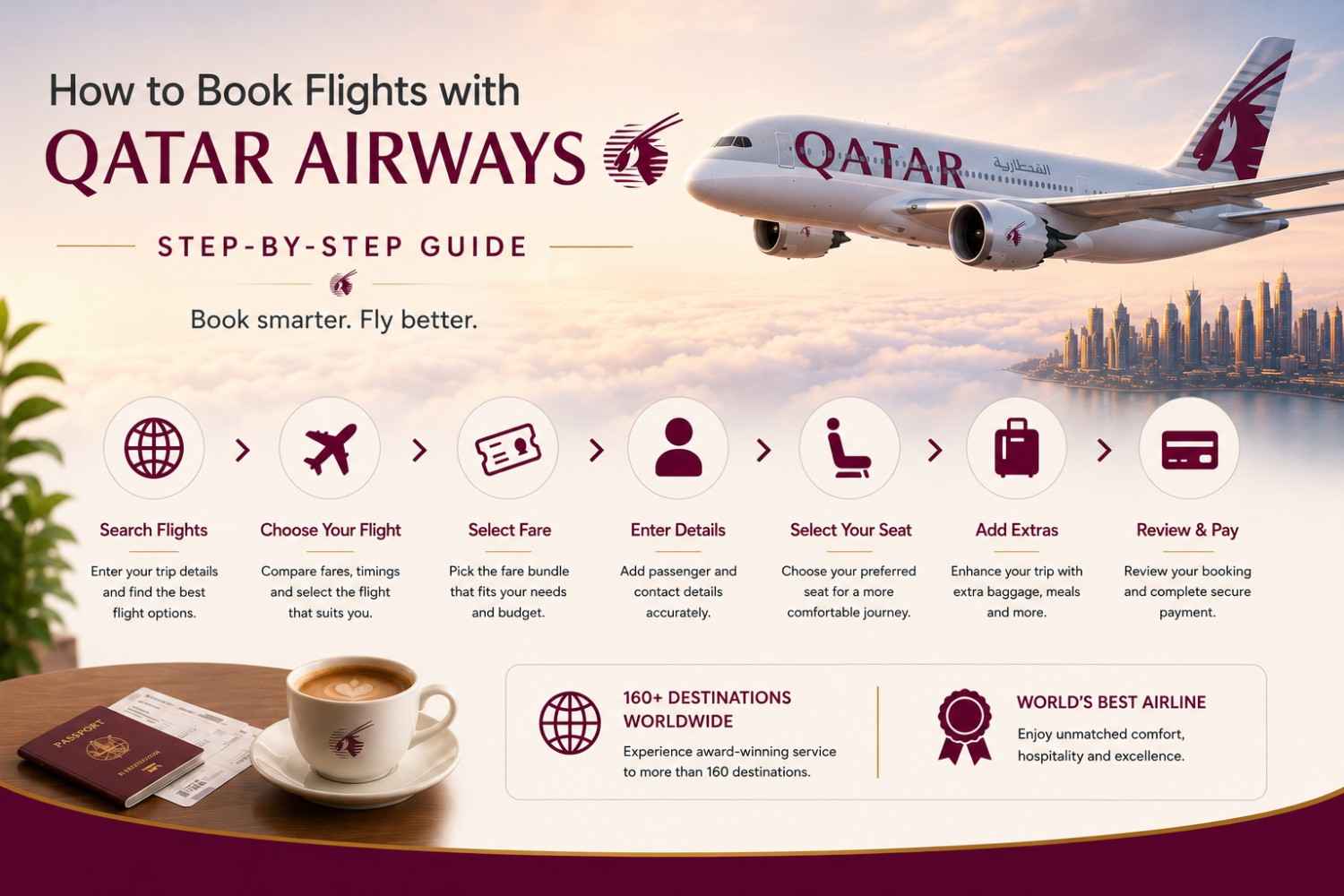
Qatar Airways is consistently rated as the top airline in the world. It connects passengers to 160+ destinations across six continents. Whether you are planning a vacation or a business trip, knowing the Qatar Airways flight booking process will save time, money, and unnecessary stress.
This Qatar Airways ticket booking guide helps you through every step from opening the website to receiving your e-ticket. This blog also provides seat selection tips, payment options, and smart strategies for finding the cheapest fares.
Given below is a complete step-by-step guide to book a flights with Qatar Airways:
Step 1: Visit the Official Qatar Airways Website
The safest and one of the most reliable ways to book a Qatar Airways ticket online is directly through the official website at qatarairways.com. Booking a ticket through the official website gives you access to the best available fares and customer support in an emergency situation.
The passenger can also use the Qatar Airways mobile app for the full booking experience and manage the trip.
Why should I book a flight ticket directly through the Website?
A passenger should avoid third-party booking sites whenever possible. This platform occasionally shows competitive prices. Booking directly through Qatar Airways gives you more flexibility for changes, such as cancellations and seat upgrades. It also eliminates the risk of service fees. Before starting, select the preferred language and currency to know the exact price.
Step 2: Enter Your Flight Search Details
On the homepage of the Qatar Airways website, you will find the flight search panel. From this panel, the Qatar Airways online booking process begins. Fill in every field carefully to see the accurate availability and pricing.
What things do you need to enter
- Trip Type: Choose the type of trip between One-Way, Round Trip, or Multi-City depending on your travel plan. The multi-city trip type is very useful if you are visiting multiple countries in one trip.
- Origin and Destination: Type the departure city or airport code for your flight. The system auto-suggests the airport as you type.
- Travel Dates: Select the departure and return date for your journey. A fare calendar view is available on the website to compare prices across different dates.
- Passengers: Specify the number of adults, infants, and children for your travel.
- Classes: Choose a class from economy, business, or first class, depending on your needs and budget.
Once all the information is filled in, click on the search flight button to see the available options.
Step3: Browse and Choose Your Flight for Travelling
After searching, a list of available flights appears on the screen, according to the price, duration, and departure time, depending on your filter preference. Here you compare your Qatar Airways reservation flight options and pick the one that will suit your schedule and budget.
Each result displays the flight number, fare per person, departure and arrival time, so choose your flight wisely.
How to Choose the Right Flight
Use the filter panel to sort out the results by price range, number of stops, departure time window, or total journey duration. Check the aircraft type according to your needs. Long-haul routes mainly operate on the Boeing 777 or Airbus A350, both offering excellent in-flight entertainment and Wi-Fi connectivity.
Check for the “Lowest fare” tag on the results. This tag indicates the best price available for the flights on that date. Clicking on the flight expands the detail panel showing the baggage allowance, aircraft type, and other additional information.
Step 4: Select Your Fare Bundle
Once you select a flight, Qatar Airways gives you a fare bundle option. This step is one of the most important parts of the Qatar Airways booking process. But this step is frequently overlooked by first-time travellers. Each bundle helps you to determine the baggage allowance, seat selection access, and flexibility for changes and cancellations.
Qatar Airways Economy Fare Bundles:
Lite: This is the cheapest fare option available on Qatar Airways. This fare bundle includes hand baggage only up to 7 kg, no checked baggage, no advance seat selection and no changes or return after the ticket booking. This fare bundle is ideal for a short trip.
Classic: It includes one piece of checked baggage, standard seat selection and limited flexibility for changes. This is the most popular choice for everyday travellers nowadays.
Comfort: This fare bundle come with the most flexible baggage allowance, preferred seat selection access and greater flexibility for date changes.
Premium: It is the most flexible bundle on Qatar Airways. This fare bundle offer maximum baggage, free seat selection, free date change and priority boarding.
Step 5: Enter the Passenger Details
After selecting the fare bundle, you will be directed to the passenger information page. It is very necessary that every detail entered here matches the passport or government-issued travel documents. Even a minor mistake can cause a bigger problem at check-in or immigration.
Information Required for Each Passenger
- Full name (title, first name, last name — exactly as printed on your passport)
- Date of birth
- Gender
- Nationality
- Passport number
- Passport expiry date (must be valid for at least six months beyond your travel date for most international destinations)
- Country of issue
Required Contact Details
- Active email address(e-ticket and booking confirmation will be sent to your email).
- Phone number(required for the flight alerts and check-in counters).
Optional but Recommended
- Privileged club membership number(required to earn Avios miles on your booking)
- Requirement of special assistance such as a wheelchair, mobility support, and unaccompanied minor service.
- Meal preferences(vegetarian, Jain, vegan, halal, diabetic, and other options available on the airline).
Step 6: How to Select Seats on Qatar Airways Booking
Understanding how to select seats on Qatar Airways bookings can make a meaningful difference to your comfort, particularly on the long-haul international flights. The seat selection steps appear immediately after entering passenger details.
Qatar Airways provides an interactive seat map color interactive by seat type and availability. Some seats are complimentary while other carrying additional fees.
Available Seat Type
- Standard Seats: These types of seats are available free of charge with Classic, Comfort, and Premium fares. These are regular economy seats spread throughout the main cabin.
- Preferred Seats: This type of seat is located at the front of the economy cabin. It offers faster boarding and deboarding for the passengers. However, a small fee applies to some fare types of Qatar Airways.
- Exit Row Seats: Offer significantly more legroom to the passenger but come with safety restrictions. Passengers seated in exit rows must be physically capable of operating the emergency exit door. This type of seat is not available for travellers with infants.
- Bulkhead Seats: This seat is located at the front of a cabin section. However, it has floor-to-ceiling space ahead with no seat in front. Bulkhead seats are ideal for families travelling with infants.
Tips for choosing a seat
Window seats are excellent for the view and for leaning against the cabin wall to sleep. However, aisle seats allow easier access to the aisle without disturbing the other passenger. The middle seat must be avoided on the long-haul flight unless you are travelling as part of the group.
If seat selection is unavailable at your fare type at the time of booking, you can choose your seat for free during online check-in. Seat selection availability is open 24 hours before departure. Seats can also be changed through the Qatar Airways manage booking portal after purchase.
Step 7: Add Extras and Optional Services
Qatar Airways offers a wide range of optional add-ons to personalise your journey. This can be selected now or added later through my booking section. Pre-purchasing is always cheaper for passengers of Qatar Airways.
Available Add-ons Include
Extra Baggage: Qatar Airways travellers can purchase additional checked baggage weight in advance. Rates are considerably lower than the airport check-in counter. So if there is any chance you'll exceed your allowance, pre-buy here.
Seat Upgrade: If business class availability exists in your flight, you may be offered an upgrade at the discounted price.
Special Meals: If you have not selected the meal preference in the passenger details, then you can do so here. Qatar Airways offers 20 meal preference types, including vegetarian, diabetic, gluten-free and child meals.
Airport Transfer: Passengers can book airport pick-up and drop-off through the Qatar Airways partner ground transportation providers.
Travel Insurance: It offers optional coverage for trip cancellations, medical emergencies and missed connections. Insurance is useful for an international trip if your single journey has more than one destination.
Step 8: Review the Journey Details and Complete Payment
The payment and confirmation page is the final stage of the Qatar Airways flight booking process. Before entering any payment details, review your full detailed plan one last time.
Qatar Airways Payment options for booking
Qatar Airways offers a wide range of payment options, including:
- Visa and Mastercard credit cards
- Debit cards (Visa, Mastercard)
- UPI (for Indian users — a convenient and popular option)
- Net Banking (available for major Indian banks)
- PayPal (available in select regions)
- Avios miles (full or part-payment through Privilege Club)
- Qatar Airways gift cards
How to complete your payment
- Select your payment option.
- Enter card or account details.
- Complete any two-factor authentication or OTP verification requested by the bank.
- Once your payment is completed successfully, you will receive a booking confirmation email with e-tickets.
- Save the reference number for online check-in, managing your booking, and at the airport check-in counter
Frequently Asked Questions
1. Is Qatar Airways safe for online payments?
Yes, the official Qatar Airways website uses SSL encryption and 3D Secure card authentication. So always verify that you are in the official domain of the airline before entering the passenger details.
2. Can I book a ticket for someone else on the Qatar Airways website?
Yes. You can book a ticket for any passenger by entering their details. The booking confirmation will be sent to the email address you provide.
3. What should I do if the passenger's name on my ticket is incorrect?
Contact Qatar Airways customer support as soon as possible. Minor name corrections can be made for free. However, a proper name change is generally not permitted, and a new ticket may need to be purchased.
4. How can I find the cheapest way to book Qatar Airways flights?
To get the lowest fares for Qatar Airways flights, book early, use the fare calendar, travel on weekdays, avoid peak seasons, and subscribe to Qatar Airways promotional offers and fare alerts.
5. Is it possible to book multi-city flights with Qatar Airways?
Yes, Qatar Airways allows passengers to book multi-city itineraries directly through its website. This option is useful for travellers visiting multiple destinations in one journey.